Recovery Without the Helpdesk
Microsoft Entra ID Account Recovery: Claims Matching API First Impressions
 Samuel Eng
Intro
This article is meant to give my initial impressions of setting up Microsoft Entra ID Account Recovery with Custom Authentication Extensions. It is not meant as a step-by-step guide, but rather as a write-up of notes from getting started.
What is Microsoft ID Entra Account Recovery?
Microsoft Entra ID Account Recovery helps employees regain access to their Microsoft Entra ID work account when they’ve lost all normal sign-in methods, such as a phone, authenticator app, passkey, or security key.
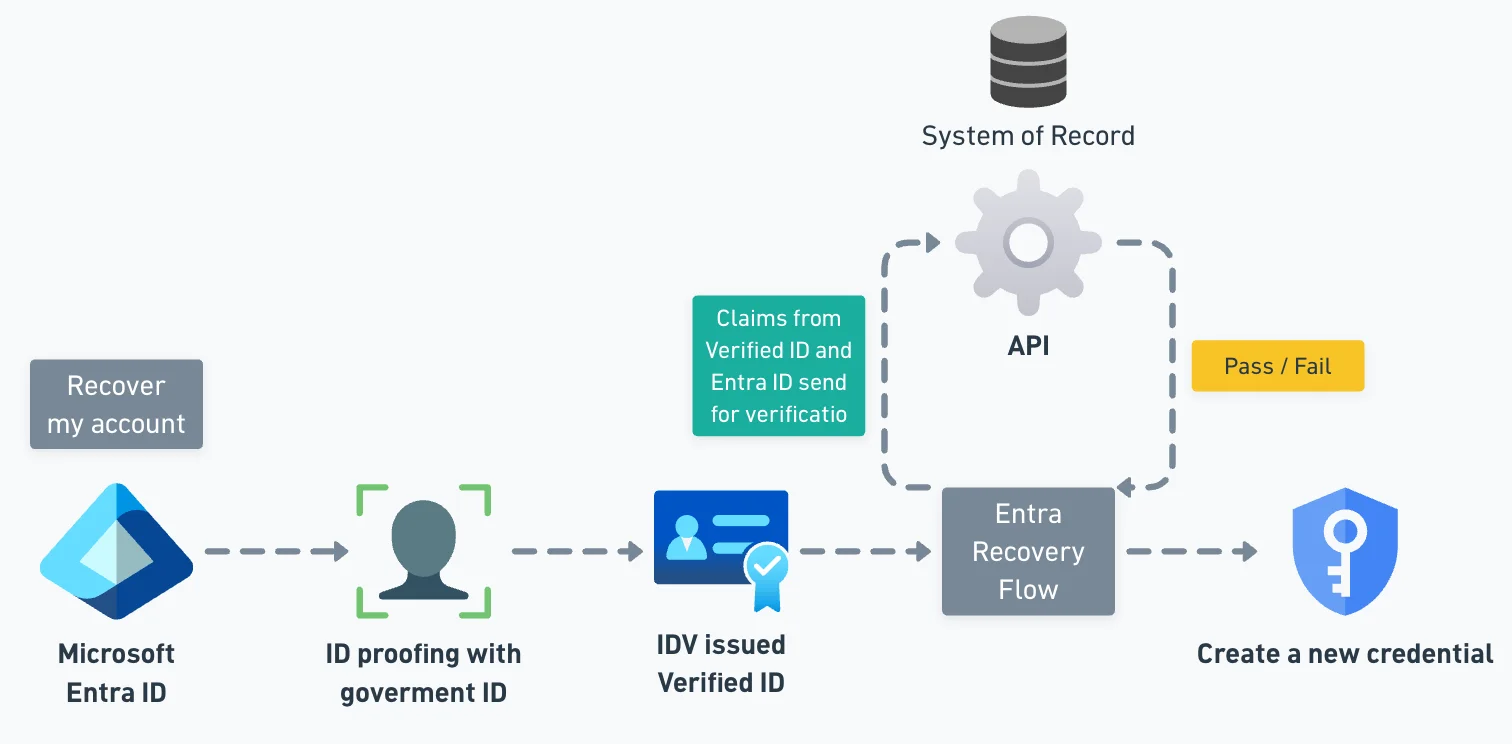
Instead of calling the helpdesk, the user proves their identity through a trusted identity verification provider. They may scan a government ID, complete a live face check, and have their verified details matched against their Microsoft Entra profile or company HR data.
If the check succeeds, Microsoft Entra gives the user a Temporary Access Pass so they can sign in and register new strong authentication methods, ideally passkeys.
What are Custom Authentication Extensions?
Custom authentication extensions let an organization add its own validation step to Microsoft Account Recovery.
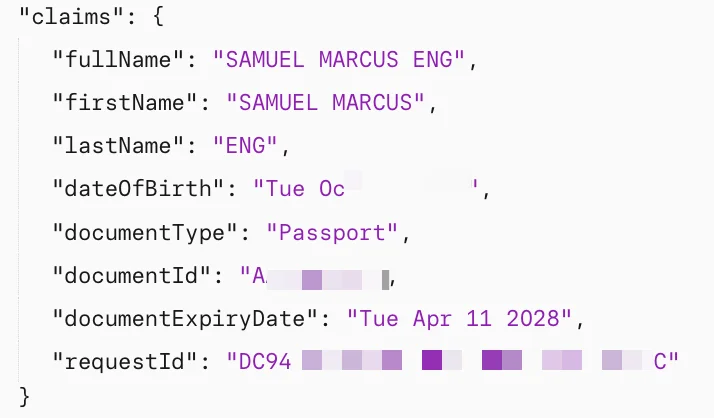
After a user verifies their identity, Microsoft Entra can call a company-owned endpoint, such as an Azure Function, Logic App, or REST API. That endpoint checks the verified identity claims against trusted internal data, such as HR records, employee directories, or badge systems, and returns a pass or fail result.
This strengthens recovery beyond name matching alone while avoiding the need to replicate sensitive HR data into Microsoft Entra.
Setting up Account recovery with Custom Authentication Extensions
Set up Verified ID
(this article assumes you have already done this)
Set up Face check with Verified ID
(this article assumes you have already done this)
Select and subscribe to your first identity verification provider
At the time of writing, most vendors have a similar offer: a monthly subscription with $1 per presentation, issuance.
Vendors add different claims to the Verified ID. For the specification, see their manifests here - Link
IMPORTANT
There are differences between vendors, such as which government documents are accepted and whether both sides of the government ID are required to scan.
IMPORTANT
You’ll need a “normal” Azure subscription - MSDN, sponsorship et.c. will not work
IMPORTANT
I ran into an issue when creating a new subscription where I had to first create an initial resource (such as a resource group) before the subscription showed up in the security store verification provider solution onboarding wizard
Create your first identity verification profile
- Evaluation vs Production mode - The difference is whether you will get a TAP at the end
- User group selection - If you chose production mode in the previous step, I recommend initially scoping this to a group, for testing purposes
- Identity verification providers - Select your preferred IDV offering
- Configure account validation - If you are unsure whether your Entra ID users’ First name and Last name exactly match those on the government ID, choose “Relaxed”. But make sure you understand the implications.
Additional claim validations using Custom Authentication Extension
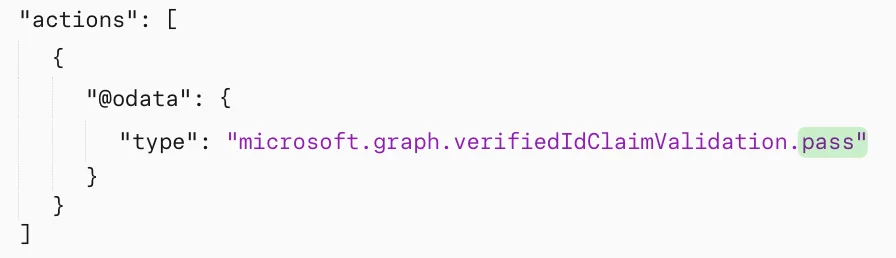
For my demo environment, I built a mock API using a Cloudflare Worker. The purpose was to receive the claim provided from VID/Entra ID/Account Recovery flow and validate it against a static lookup I hardcoded. The API is only supposed to return “pass” or “fail”.
An important thing to note is that the extension is expecting you (e.g. API endpoint) to send the response back within two seconds - Troubleshoot your custom authentication extension
Code sample can be found here
Testing
IMPORTANT
The user you are testing with need to have prior authentication events (i.e. you cannot test with a new account)
IMPORTANT
In my testing, I found that it is usually a good idea to remove an existing IDV Verified ID in the Authenticator app if you want to retry the recovery process.
Conditional Access policies
- At the time of writing you need to disable CA policies that are targeted towards User Actions and Register Security Information. This will probably change in the future.
Key takeaways
- The ability to perform additional verification, beyond first and last name, is a very welcome addition. This will increase the confidence that we are verifying the right person.
- The user feedback and UI need to be improved when the process fails for any reason, especially the claims matching API.
- We also need a path and option for organisation-issued Verified ID ("Verified Employee") for many reasons, cost as an example.